
The brief: keep related server work together
The project needed an owned terminal application with a searchable server directory, SSH sessions and file tools. Routine infrastructure checks also needed a place in the same workspace. The result is a desktop terminal with a built in DSDillon Commander panel set.
The desktop application is version 2.2.0. It uses xterm.js for terminal rendering and an SSH library for the server link. DSDillon built the host directory, operator tools and records around those connections.
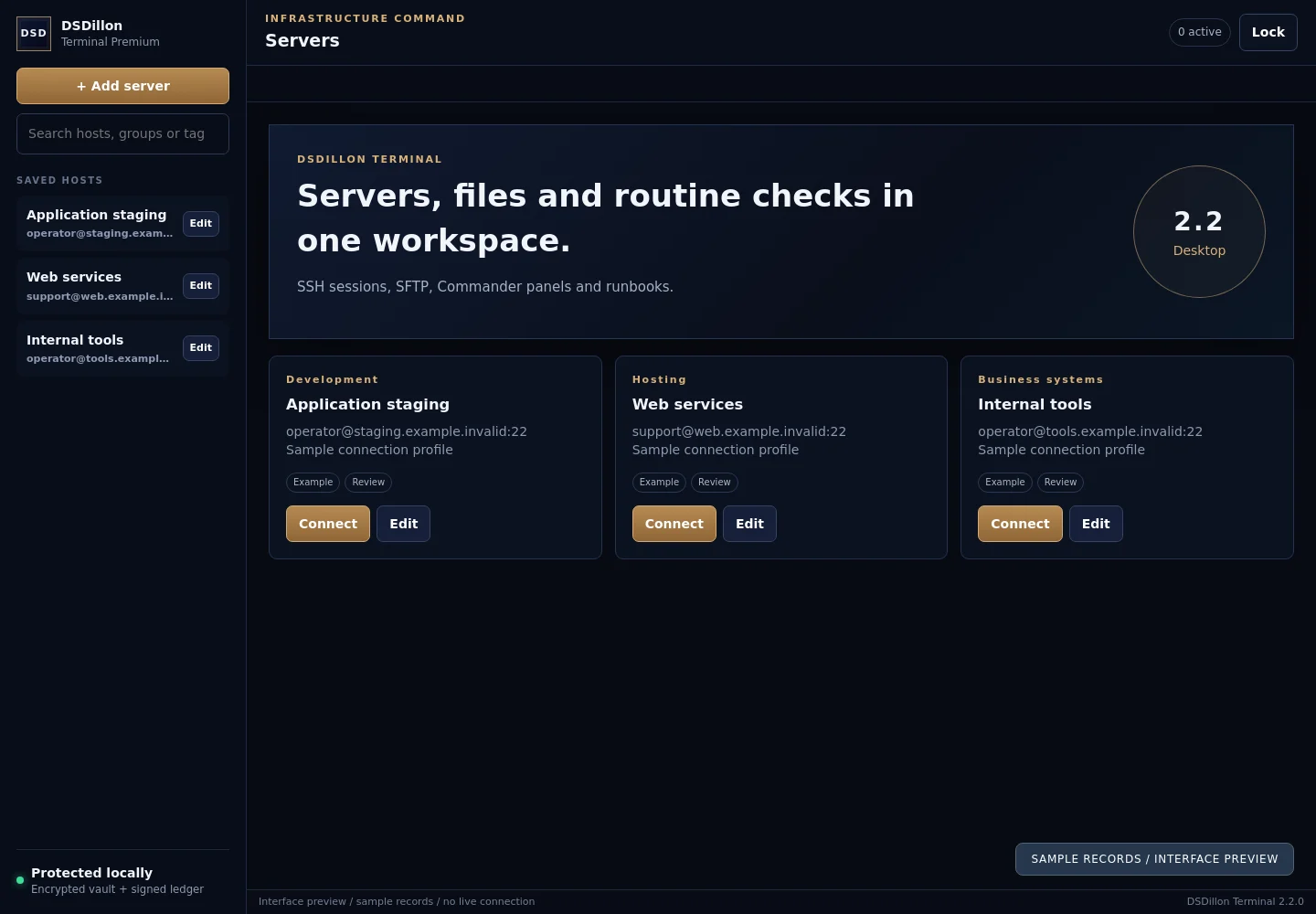
Saved servers and visible session targets
Hosts can be organized with names, groups, tags and favourites. The directory shows the SSH account and selected destination. Separate terminal tabs, split panes and output search support work across sessions.
The connection flow includes host fingerprint review. Stored credentials use a local vault implemented with scrypt key derivation and AES 256 GCM encryption. The master password and operating system account remain part of the protection of that vault.
Commander alongside the active terminal
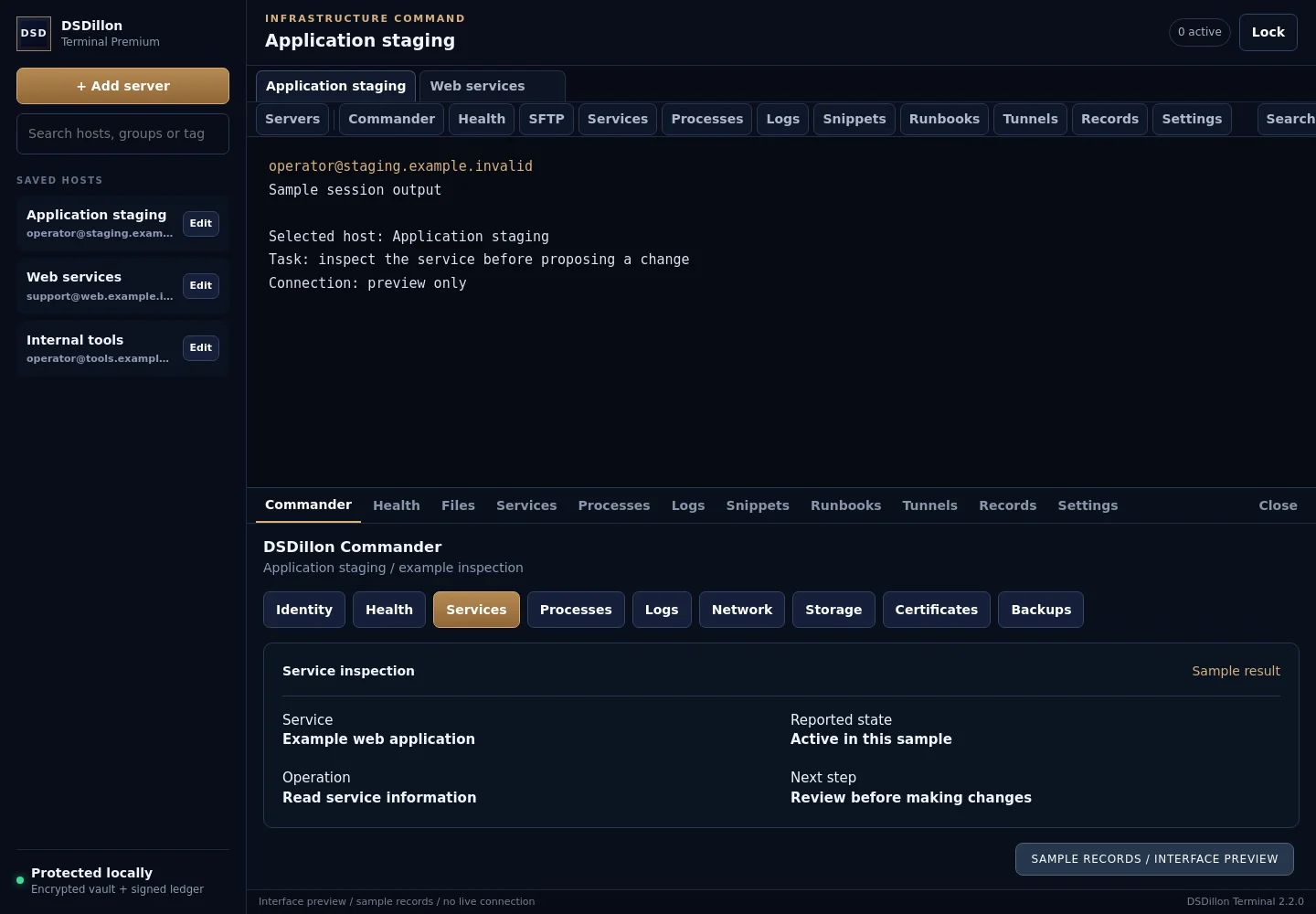
The renderer defines 21 Commander views, including identity, health, services, processes, logs, network, storage, certificates, backups and scheduled work. The selected session identifies the host used by those tools.
The panels give repeated checks a named place in the interface. Their availability depends on the target operating system, installed tools and account permissions. A panel needs a returned result before its check can be treated as complete.
| Workspace | Role in the task |
|---|---|
| Terminal | Interactive command input and output |
| Commander | Named infrastructure inspection views |
| SFTP | Directories, transfers and file operations |
| Runbooks | Saved maintenance sequences |
| Records | Activity information and export tools |
Remote files remain in the same context
The file interface includes directory listing, metadata, transfers, checksums and text editing. The editor identifies the remote path and includes a backup based save workflow. A user can move from a diagnostic result to the relevant file without changing to a different application.
The permitted file operations still follow the connected account. A text editor, file browser and complete shell expose different operations, so their access and record handling require explicit review.
Snippets, runbooks and deliberate broadcast input
The application includes saved snippets and runbooks with named steps. A runbook can stop after a failed step. Split sessions provide a view of separate targets, while broadcast input has its own confirmation flow.
Those controls make the intended target visible. The operator remains responsible for the operation being authorized and appropriate for that environment. Automatic recovery from every failed command is outside this case study.
Operation records and updates
The source includes audit and record export modules together with an update checking mechanism. Release packages, signatures and saved versions form part of the maintenance workflow. Their coverage needs to be tested against the deployment environment.
The activity history covers operations recorded by the application. Work performed through other tools requires its own evidence. Record retention, export access and security review are part of the deployment plan.
How the server connector relates to the desktop app
DSDillon also built a separate MCP terminal connector for authorized server work. It returns command results and interactive session output to a connected client. The desktop app and connector belong to the same infrastructure toolset and use different entry points.
The independent third party product called Desktop Commander is not the implementation shown here. DSDillon Commander refers to our own panel workspace. Graphical screen sharing and mouse control require a separate remote desktop scope.
What the project demonstrates
The build joins a saved host directory, terminal sessions, file work and routine inspection panels in one desktop interface. Its modular structure provides a starting point for a separately scoped client implementation.
The images were captured from the actual renderer HTML and styles with live scripts disabled and example data inserted. They contain no customer credentials, production host details or live connection results.
Before you begin
What is DSDillon Commander?
It is the infrastructure panel workspace built into DSDillon Terminal. It shares the active server with terminal and file tools.
Is this the independent Desktop Commander MCP product?
No. DSDillon Commander is our own implementation. The independently developed product is discussed separately in the buyer guide.
Can a business commission a similar application?
Yes. Bring the operating systems, host count, existing tools and tasks required. The scope covers interfaces, access, rollout and support.
Developed by DSDillon. Published 26 September 2026.
