
Point of sale systems for the way your business trades.
Plan checkout, customer invoices, stock and currencies together. DSDillon builds custom business software and works through the details that affect everyday trading.
Sales, invoices and accounting in 24 currencies.
DSDillon POS connects counter sales, invoices and stock to its accounting ledger, payroll and supplier payment records. Financial reports retain original currency amounts and the recorded conversions.
Explore the accounting integration, from an invoice posting to bank reconciliation and financial statements.
Read the case study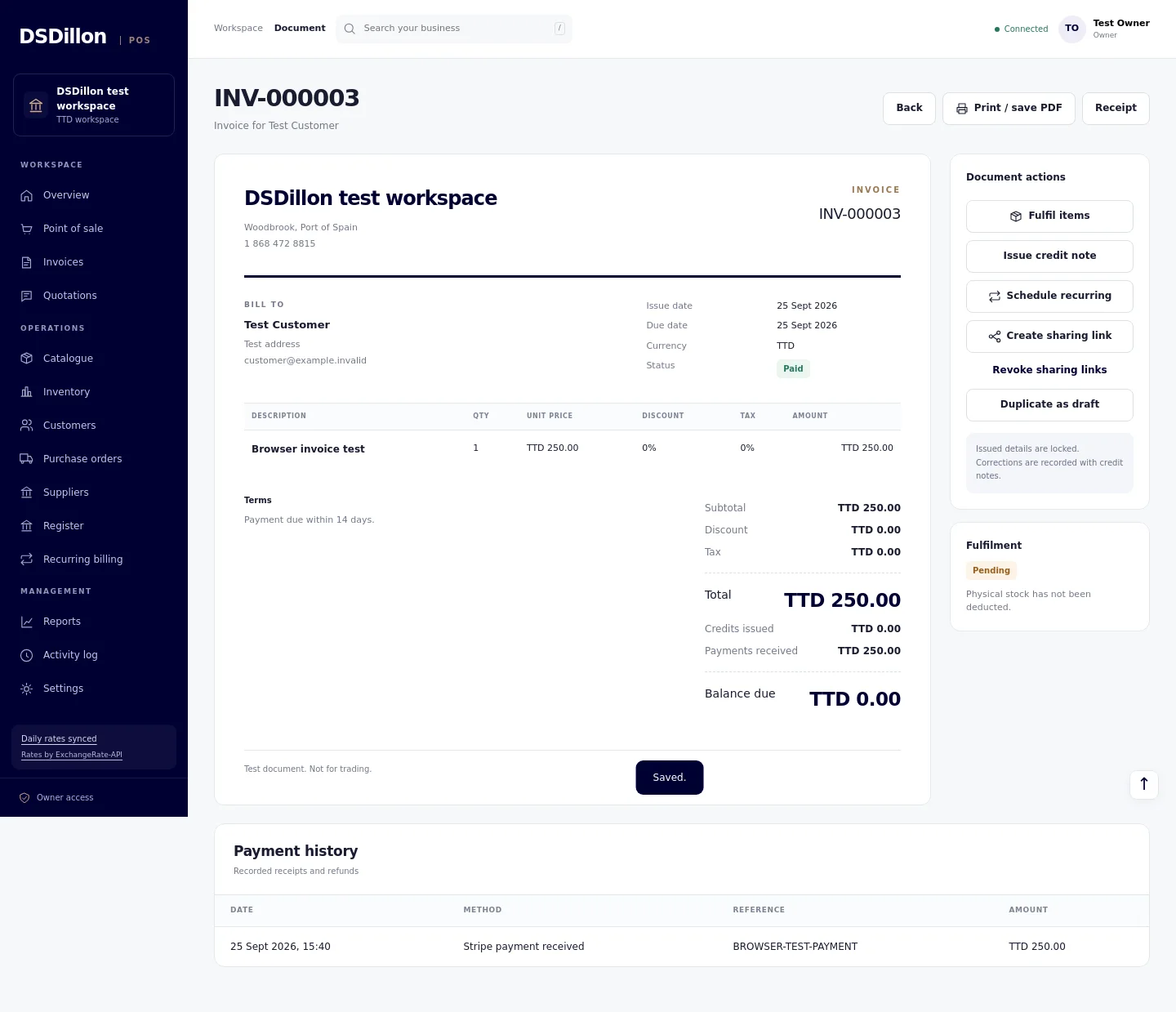
Choosing a POS in Trinidad and Tobago
Start with the business workflow: the products or services you sell, the invoices customers need, the currencies you accept and the equipment at the counter. A software licence, a card terminal and a payment account have separate requirements.
These guides give you worked examples, supplier questions and tests to use when comparing a system. Local pricing examples are dated, and payment compatibility needs confirmation for your exact setup.
Choose and budget
Compare the scope, costs and migration work before committing.
POS System Cost in Trinidad and Tobago
Compare POS software, hardware, setup, support and payment fees in Trinidad and Tobago. Build a three year budget using your own supplier quotes.
Read guideLoyverse Alternatives: Compare the Workflows You Need
Evaluate Loyverse alternatives for invoicing, stock, multiple currencies and offline sales. Compare the current DSDillon POS scope with established options.
Read guideSwitching POS Systems: Migration and Cutover Checklist
Plan a POS migration with product exports, opening stock, customer balances, transaction tests, training and a controlled cutover.
Read guideCustom POS Development: Scope, Ownership and Delivery
Scope a custom point of sale project with workflows, integrations, data ownership, acceptance tests and a controlled launch plan.
Read guideInvoices and payments
Follow the customer account from quotation to final payment.
POS with Invoicing, Deposits and Customer Balances
How a POS with invoicing should handle quotations, partial payments, credit notes and stock. Includes a worked billing example and supplier demonstration checks.
Read guideQuotation, Deposit and Invoice Workflow for Services
Set up quotations, deposits, invoices, staged payments and customer statements for consulting, trades and service businesses.
Read guideTTD and USD Invoicing for Trinidad Businesses
Set up TTD and USD invoices with clear currency labels, partial payment records and separate reporting values. Includes a worked example.
Read guidePOS Payment Terminal Integration in Trinidad and Tobago
Plan a POS payment connection around the merchant account, supported terminals, currency, payment confirmation, refunds and settlement records.
Read guideStock, cash and currencies
Plan the controls that keep quantities and balances explainable.
POS Inventory Management: Stock, Counts and Purchasing
Plan POS inventory management around product codes, stock receiving, sales, returns, transfers and purchasing. Use a practical stock movement test before launch.
Read guideMulti Currency POS: Sales, Rates and Reporting
Choose a multi currency POS with clear transaction currencies, automatic exchange rates, separate cash balances and consistent reporting.
Read guideCash Register Reconciliation and Daily POS Closing
Reconcile opening cash, sales, refunds and cash movements. Includes a daily register example and separate currency checks.
Read guideOffline POS: What to Test Before You Buy
Evaluate offline POS with tests for local sales, receipts, reconnection, duplicate prevention, stock conflicts and card payment limits.
Read guideLanded Cost and Foreign Currency Purchasing for POS
Work through foreign supplier prices, freight, partial receipts and landed cost allocation before connecting purchasing to POS stock and margin reports.
Read guideYour business workflow
Take an industry specific checklist to the demonstration.
Retail POS Checklist for Trinidad and Tobago
A retail POS selection checklist covering products, prices, returns, stock, tax, hardware, cash closing and support in Trinidad and Tobago.
Read guideRestaurant POS Checklist: Orders, Kitchen and Closing
Evaluate a restaurant POS with menu modifiers, kitchen routing, table changes, partial payments, offline recovery and end of service reconciliation.
Read guideSalon POS Checklist: Bookings, Deposits and Products
Choose a salon POS around appointments, deposits, retail products, packages and daily closing. Includes a service and product checkout test.
Read guideEquipment, access and connected selling
Check the counter equipment, customer rewards, recovery and online order journey.
POS Hardware Compatibility: Printers, Scanners and Tablets
Test receipt printers, barcode scanners, cash drawers and tablets before buying POS equipment. Includes a model checklist and counter acceptance test.
Read guidePOS Security, User Permissions and Backup Recovery
Plan POS access, refund approvals, private customer records and backup recovery. Use practical checks for staff accounts, device loss and data exports.
Read guidePOS Loyalty, Gift Cards and Store Credit
Plan customer rewards, funded gift balances and store credit with clear earning rules, currency controls, return handling and redemption tests.
Read guidePOS and Ecommerce Integration: Stock and Orders
Connect online and counter sales with product mapping, stock reservations, order status, collection, returns and safe synchronization.
Read guideTell us how your business sells.
Share your business type, locations, currencies, invoice requirements and payment providers. We will scope the workflow, connections and acceptance tests.
Explore more about Point Of Sale
Checkout, invoicing, inventory and buying decisions.
