
POS and accounting in one application.
A sale affects the customer balance, stock and accounts. DSDillon POS carries those records through invoicing, payment and financial reporting in the same application. The accounting integration adds supplier bills, bank reconciliation, payroll and payment records to the existing checkout.
The brief: connect the counter to the customer account
The project began with a request for an original point of sale platform. Invoicing became a core requirement immediately: the system needed to handle services and customer accounts alongside ordinary counter sales.
The build had to keep a quotation, invoice, payment, credit and stock movement connected. Creating another document for a sale must not create another sale. Supplying the same order twice by mistake must not remove stock twice.
Currency handling was the next major requirement. The owner wanted different transaction currencies within one business workspace and exchange rates collected automatically from a named source.
The brief then expanded to accounting. Invoices, stock movements and payments needed to create their own ledger entries. Supplier bills, expenses, payroll and financial statements had to share those records and preserve the history behind every balance.
A register with a persistent basket
The register brings product lookup and the current basket into the same workspace. An operator can scan or search for an item, change its quantity, apply a permitted discount and attach a customer before recording payment.
A held sale can be resumed later. The device retains its basket across a page reload. The current release requires a connection to save the completed sale and business records.
The interface also provides access to invoices, quotations, catalogue items, stock, customers, suppliers, purchase orders, register sessions and reports. These records use the same business context.
Invoices that retain the payment history
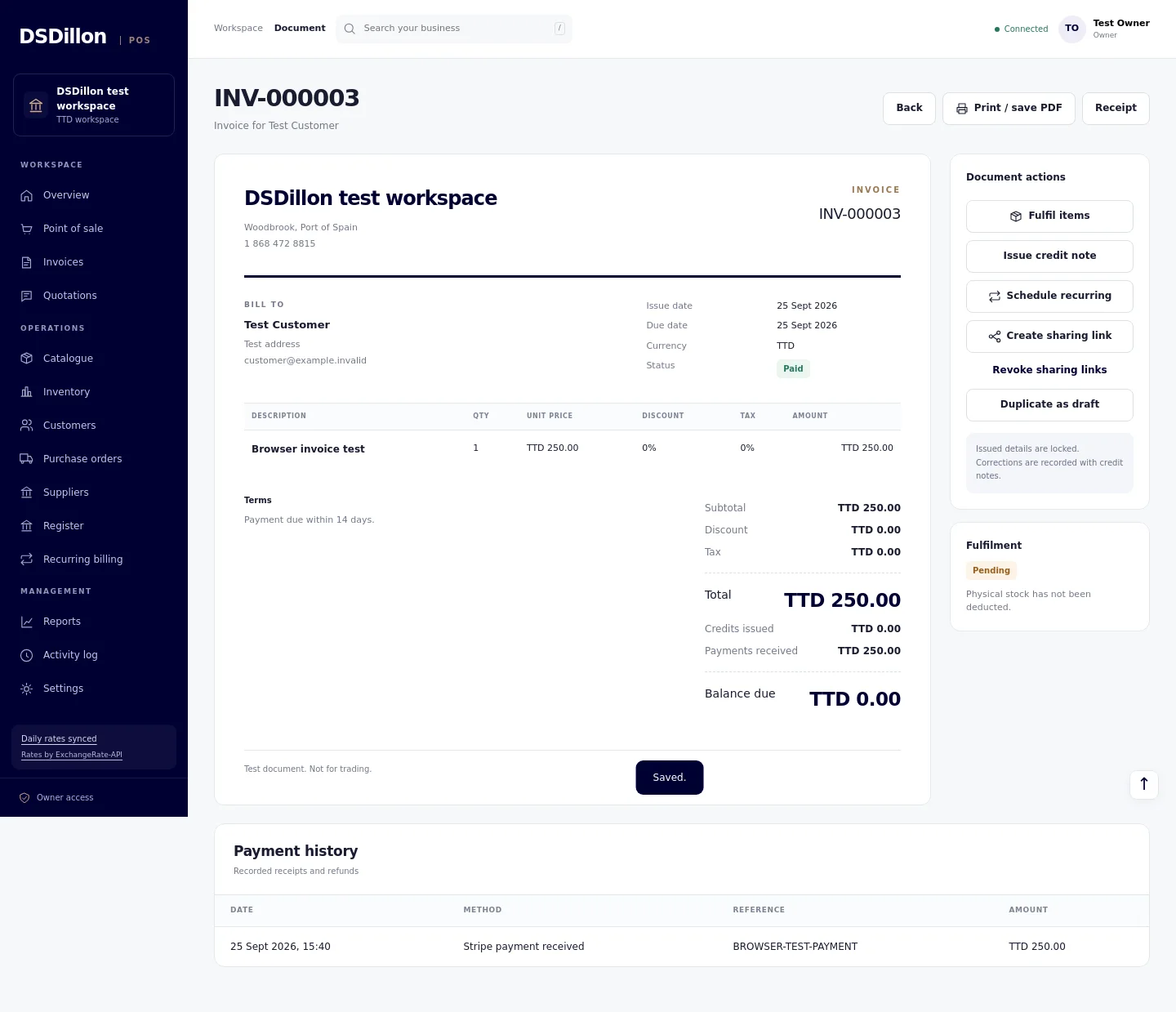
A quotation can become a draft invoice without retyping its lines. On issue, the invoice receives its final number and retains its customer, prices, currency and terms. Payments reduce its outstanding balance as they are recorded.
Deposits and later payments remain separate entries against the original invoice. Credit notes reduce what is owed, and refund records show money returned. Customer statements bring those events into one account history.
The invoice and fulfilment records remain linked. The stock deduction happens through fulfilment once. A second completion request returns the existing result and leaves the stock movement unchanged.
For recurring work, a schedule produces draft invoices for review. Weekly, monthly, quarterly and yearly schedules are available. The operator issues the draft before sharing it.
24 currencies in one business workspace
Each invoice has a transaction currency. The business also has a reporting currency, used to combine its management totals. The original transaction amount remains visible alongside its reporting equivalent.
The supported currencies include TTD, USD, GBP, EUR, CAD, BBD, JMD, XCD and GYD. The calculation layer also handles currencies with zero or three decimal places. Customer preferences help select the currency on a new document.
Cash registers retain separate native balances. At closing, the operator counts each currency held. This makes it possible to identify a USD cash difference without burying it in a converted TTD total.
From a USD quotation to a TTD report
Consider a service quoted at USD 250. At an illustrative reference rate of 1 USD = 6.80 TTD, the invoice has a TTD 1,700 reporting value. The quotation and invoice show the agreed USD amount. This is a worked example, not a customer sale or a current exchange rate.
A confirmed USD 100 deposit leaves USD 150 to collect. A later USD 150 payment settles the same invoice. This example uses 6.80 for both the invoice and payment dates and excludes tax and fees. The payment history keeps both references. Different payment or settlement rates are recorded through the accounting currency workflow.
If a physical product is part of the order, its stock movement follows fulfilment. Reprinting the invoice or repeating a completed request leaves the quantity unchanged. The customer account, register and stock report can then be checked against the same transaction.
| Event | Customer account in USD | Reporting value in TTD at 6.80 |
|---|---|---|
| Invoice issued | 250.00 invoiced | 1,700.00 invoiced |
| Deposit confirmed | 100.00 received | 680.00 received |
| Outstanding after deposit | 150.00 due | 1,020.00 due |
| Final payment confirmed | 150.00 received | 1,020.00 received |
| Closing customer balance | 0.00 | 0.00 |
Automatic rates with a transaction history
The system collects daily reference rates from ExchangeRate-API. An hourly check follows the provider publication schedule, and the settings page shows the source, publication time, last successful sync and currency coverage.
Each issued foreign currency invoice retains the rate used for reporting. Later updates do not change the customer price or rewrite the issued invoice. A source failure leaves the last validated data available, with its age visible.
The feed checks reject invalid values, incomplete currency sets and older publications. Rates more than 48 hours old cannot be used for new automatic foreign currency invoices. Existing invoices retain their records during an outage.
Reference rates support pricing and reporting. The accounting integration records payment and settlement differences, processor fees and exchange gains or losses separately from the original invoice.
ExchangeRate-API data methodology / ExchangeRate-API publication schedule
Stock movements and cash closing
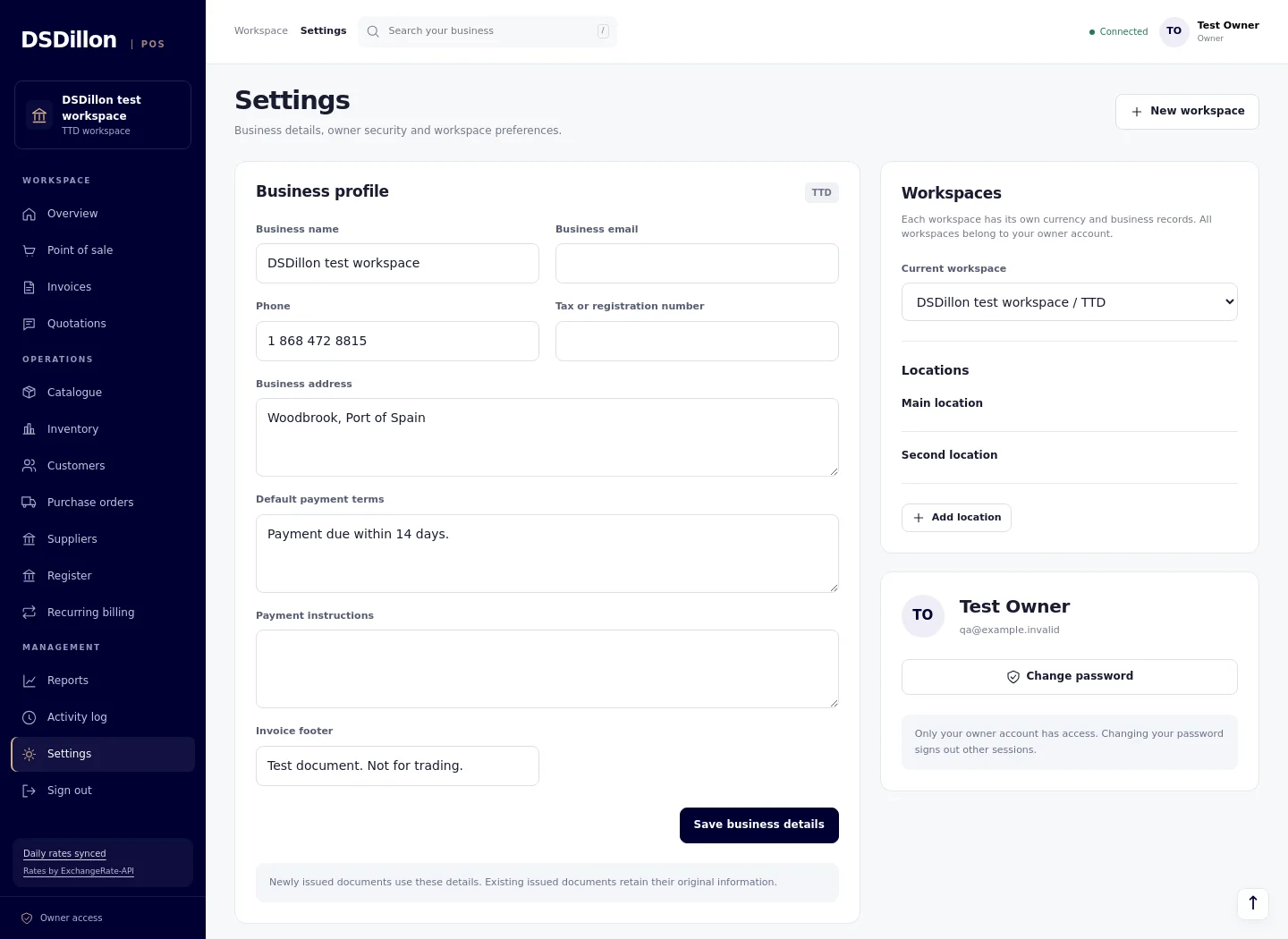
Products have catalogue records, stock quantities and movement history. Receiving, counts and location transfers record how the physical quantity changes. Supplier and purchase order records support the purchasing workflow.
A register session starts with an opening float. Cash paid in, cash paid out, refunds and sales contribute to the expected closing balance. The operator records the count and explains a difference before closing.
Reports show sales, payment records, customer balances and stock information. Exports preserve the transaction currency and recorded conversion details so the figures can be followed outside the application.
Double entry accounting connected to the POS
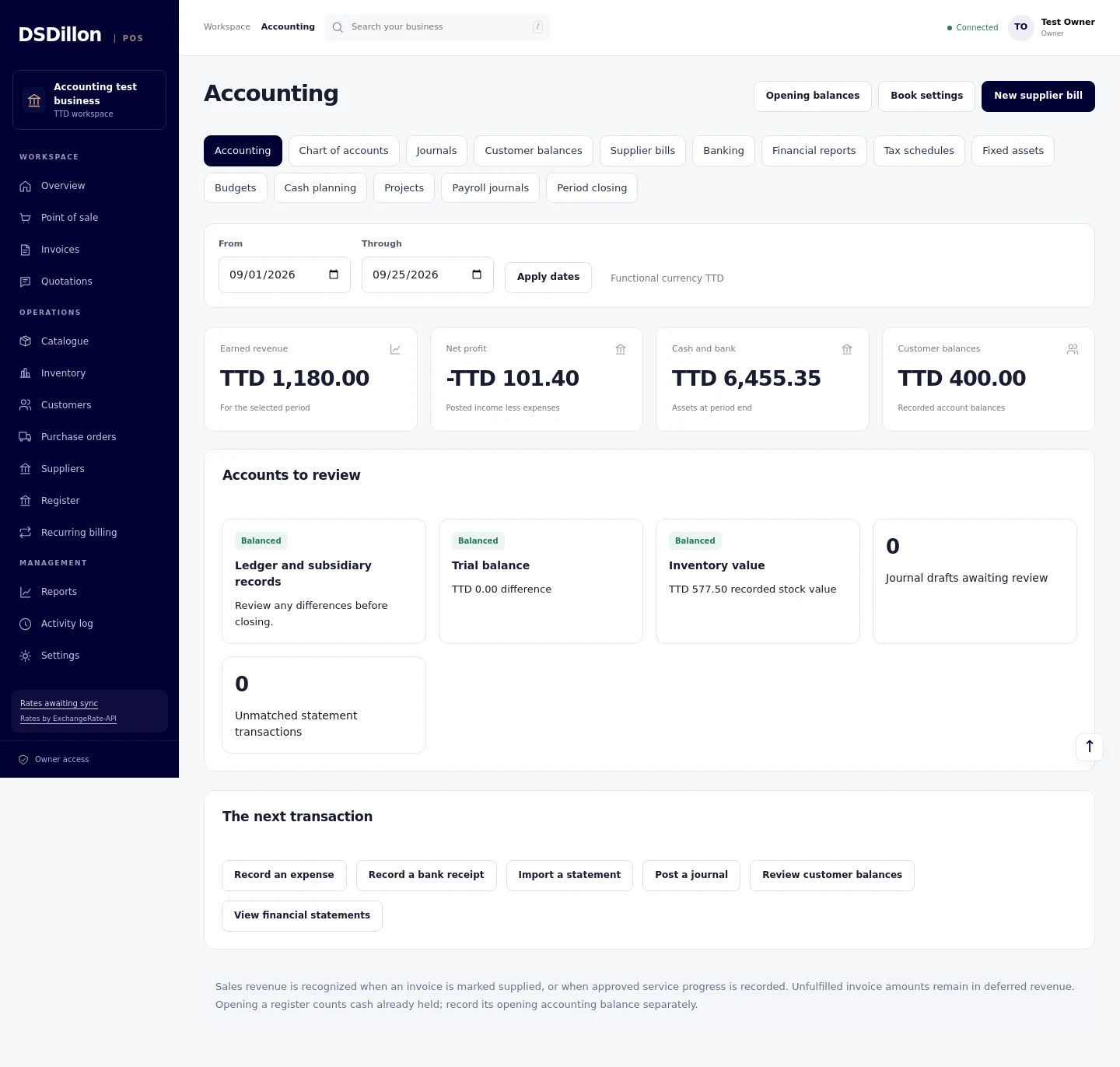
Issuing an invoice creates the customer receivable, deferred revenue and any configured output tax entries. Marking the goods or services supplied moves the earned amount into sales revenue. Completed service work can also be recognised in recorded amounts against the invoice.
Each confirmed payment reduces the customer balance and posts to cash or the appropriate payment clearing account. Stock fulfilment records the inventory reduction and cost of goods sold. Credits and refunds retain their links to the original invoice.
The chart of accounts, journals and general ledger are available inside the POS. Posted entries retain their original details. Corrections follow the originating document workflow or a recorded reversal. Repeating a completed request does not create another posting.
How a TTD 1,000 sale reaches the accounts
Take a product invoiced at TTD 1,000 with a recorded inventory cost of TTD 600. The example below excludes tax, discounts and fees. It follows the invoice, supply and a confirmed cash payment through the accounting entries.
Once the product is supplied, the sale contributes TTD 1,000 in revenue and TTD 600 in cost of goods sold. Gross profit is TTD 400. Receiving the TTD 1,000 cash payment clears the customer balance. Each journal remains linked to the transaction that created it.
| Event | Debit | Credit |
|---|---|---|
| Issue the invoice | Customer receivables TTD 1,000 | Deferred revenue TTD 1,000 |
| Recognise the supplied sale | Deferred revenue TTD 1,000 | Sales revenue TTD 1,000 |
| Record the inventory released | Cost of goods sold TTD 600 | Inventory TTD 600 |
| Record the confirmed cash payment | Counter cash TTD 1,000 | Customer receivables TTD 1,000 |
Supplier bills, receipts and bank reconciliation
Supplier bills can be prepared, posted and settled in stages. Received purchase orders can be matched to bills under the supported matching rules. Supplier credits, refunds and landed costs retain their accounting records.
A receipt inbox accepts PDFs and images. The reader suggests the supplier reference, date, currency and amounts. The operator checks the original, selects the supplier, expense account and tax code, then creates a draft bill with the source document attached.
Bank, cash and credit card accounts hold their own balances. Statement imports identify duplicate records, and reconciliation matches statement amounts to existing ledger entries. Transfers, expenses and payment settlements keep their references. Importing a statement does not create a second sale.
The bank feed connector supports an authorized Plaid Transactions connection for a supported account. No live bank feed is connected to the current installation. CSV statement import and reconciliation are available.
Foreign currency balances and exchange differences
The original invoice currency and rate remain on the document. Accounting entries also retain the functional currency value used in the books. A payment made at a different rate releases the recorded customer or supplier balance and recognises the exchange difference.
Foreign currency bank and credit card accounts retain their native balances and carrying values. Payment fees and settlement amounts can be followed separately. Closing revaluation records the reviewed rates, posts the currency entry and creates the following day reversal.
The invoice example above therefore stays readable in USD while the financial statements report the TTD amounts and any recorded exchange gain or loss. Rate updates leave previously issued customer prices unchanged.
Financial reports, assets and period closing
The reporting workspace includes profit and loss, balance sheet, cash flow, trial balance and general ledger reports. Customer and supplier ageing shows unpaid balances by due date. Tax schedules, printable reports and CSV exports support the accounting review.
Fixed asset records cover acquisition cost, residual value, useful life, monthly depreciation and disposal. Projects carry income and direct costs, and monthly budgets can be compared with actual figures. A thirteen week cash plan uses the entered collection and spending assumptions.
Opening balances, recurring journal drafts, period locks and financial year closing are part of the same ledger. Closing checks examine the journal balance, customer and supplier records, inventory values and outstanding drafts. Reopening a period requires a recorded reason.
Payroll, deductions and supplier payment batches
Payroll records regular earnings, overtime amounts, bonuses, allowances and deductions for the supported Trinidad and Tobago payroll scope. Calculated pay previews include PAYE, employee and employer NIS, health surcharge and net pay under the configured 2026 rules. Employee TD1 details and contribution categories are reviewed before approval.
Approving a pay run posts its journal. Pay slips and payroll exports show the approved amounts, with year to date totals. Employee payroll records do not create staff sign ins. A correction retains the original run and its reversal.
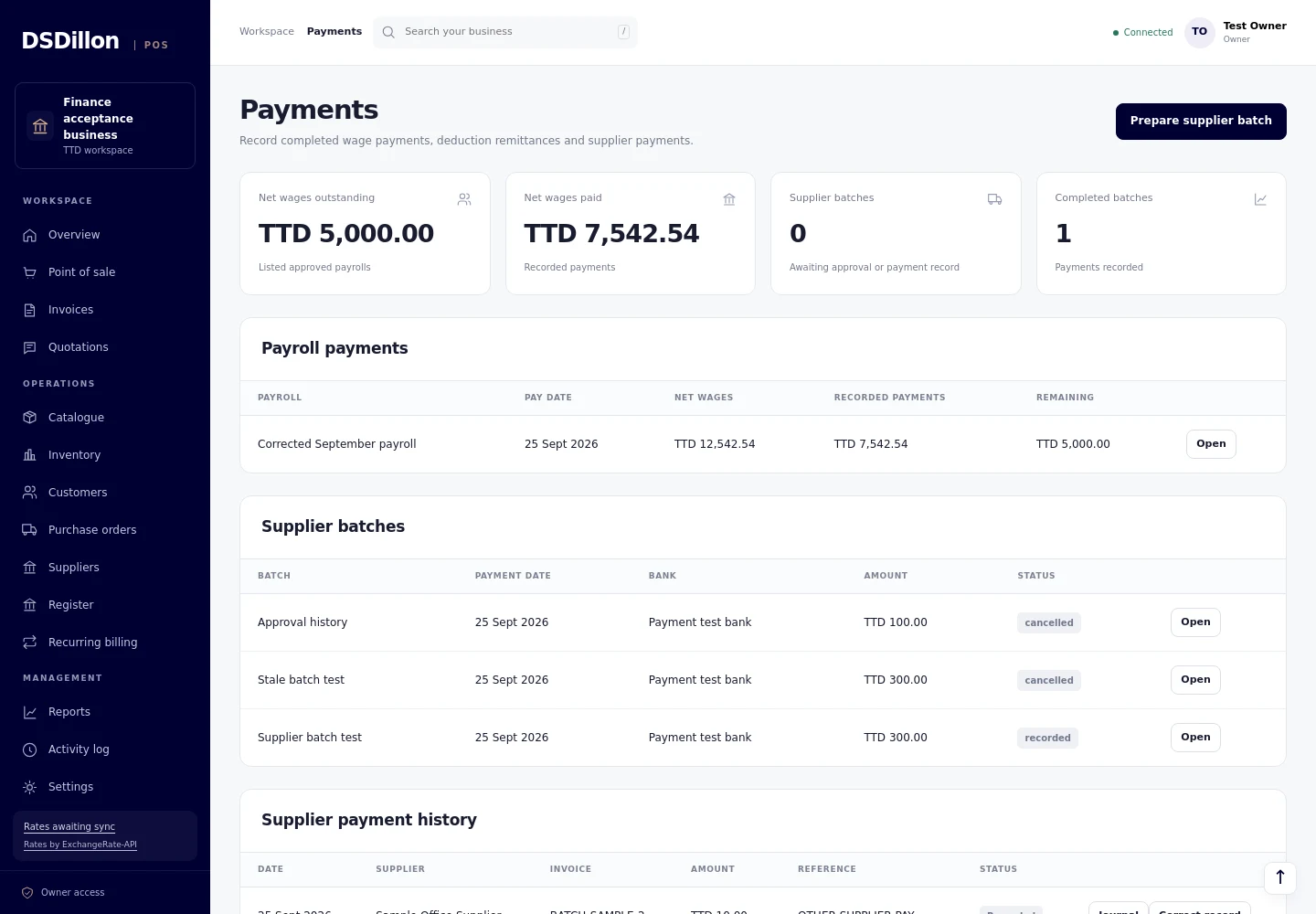
The Payments workspace records partial or full wage payments and remittances of payroll deductions. The remaining employee and liability balances can be checked against their payment references.
For suppliers, the owner selects unpaid bills, prepares a batch, reviews it and records the completed payments. A change to the bill balances requires another review. Corrected payment records preserve the original entries and related journals.
Wage and supplier transfers take place through the bank. The POS records confirmed transfers and their accounting effects.
Group accounts and tax filing preparation
Each business workspace maintains separate books. Group reporting combines selected entities into a reporting workpaper with reviewed exchange rates and consolidation entries. Group entries leave the individual entity ledgers unchanged.
The current group reporting scope covers reviewed, wholly owned entities. Source changes require a new review before a group report is approved. Acquisition accounting and non-controlling interests have not been added.
The tax filing workspace prepares the TD4 Income supplementary CSV from reviewed annual employee totals and records a submission acknowledgment. Filing takes place through e-Tax. The application does not submit a return or remit tax automatically.
Testing the transactions that can go wrong
The release checks covered invoice posting, deferred revenue, partial payments, credit notes, supplier bills, stock valuation and bank reconciliation. Foreign currency tests checked payment rates, closing revaluation and the release of bank and credit card carrying values.
Payroll and payment tests covered duplicate approvals, overlapping employee periods, reversed runs, partial wage payments, changed supplier balances and repeated batch requests. Posted payment amounts and correction histories were checked for protection against edits and deletion.
Desktop and phone browser checks covered the accounting forms, reports, receipt review, payroll and Payments screens. The screenshots on this page use sample records from those tests.
What is in the current release
DSDillon POS is running on version 1.5.0. Checkout, invoicing, stock, 24 currencies and automatic reference rates now share the application with accounting, payroll, receipt capture, group reporting and payment records.
The accounting workspace is connected to the POS transaction records. Bank feeds need an authorized provider connection. Direct card collection through Stripe, direct invoice email and completed offline cash sales remain outside this deployed release.
Existing account holders can open DSDillon POS using the link on this page. A business setup includes its chart of accounts, opening balances, bank accounts, tax codes, payroll details and financial year. Those settings are reviewed before transactions are entered.
Questions before you decide
Does DSDillon POS include accounting?
Yes. Version 1.5.0 includes a double entry ledger, supplier bills, bank reconciliation, financial reports, fixed assets, budgets, payroll and payment records inside the POS.
Do POS sales post to the accounts automatically?
Issued invoices, recorded payments, fulfilment, stock movements, credits and refunds create the corresponding accounting entries. Supplied goods and recorded completed service work move the earned amount into sales revenue.
Can I issue TTD and USD invoices from the same business?
Yes. The current release supports different invoice currencies within one workspace. Each invoice and its payment entries use one currency. The accounts retain native amounts and their functional currency values.
Does the exchange rate update automatically?
The system collects a daily reference rate feed and checks hourly for the next publication. Issued invoices retain their recorded rates. Accounting records payment and settlement differences separately.
Does approving payroll transfer the wages?
Approval posts the payroll journal. Wage transfers take place through the bank, then confirmed payment references and amounts are recorded in Payments.
Are automatic bank feeds and tax submission connected?
No live bank feed is connected to the current installation. A supported Plaid connection can supply statement records after authorization. Tax filing takes place through e-Tax, with the supplementary file and acknowledgment held in the POS.
Where can I access DSDillon POS?
Open pos.dsdillon.com using the link on this page. The application requires an existing account. Contact DSDillon to discuss a business setup.
Tell us how your business sells.
Share your business type, locations, currencies, invoice requirements and payment providers. We will scope the workflow, connections and acceptance tests.
