
How to Check Land Classification in Trinidad and Tobago
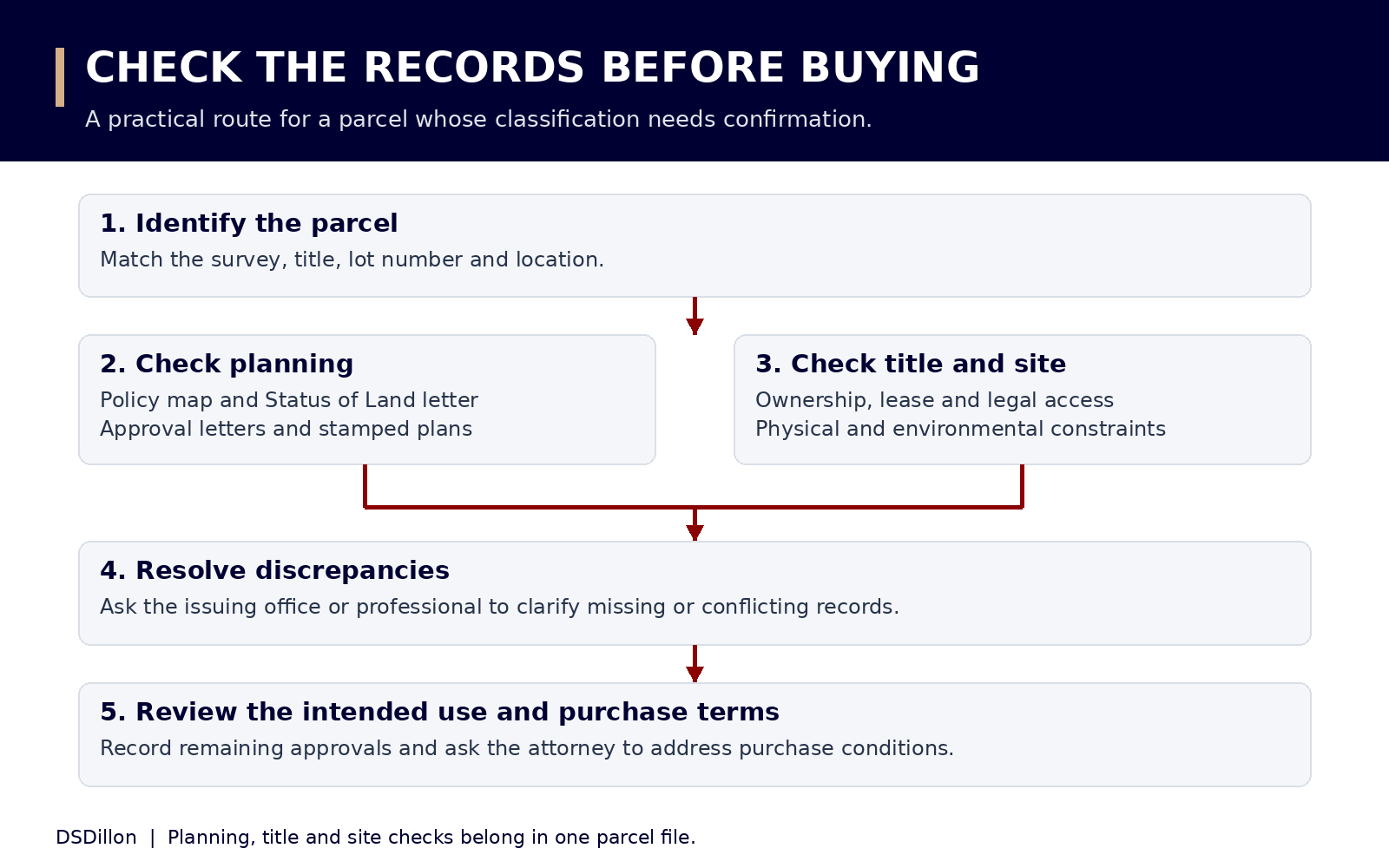
To check a parcel’s land classification, identify it on a survey plan, examine the applicable TCPD policy, obtain written planning information and compare it with the title and approval records. Use the exact parcel throughout the enquiry. A street address alone often leaves important details unresolved.
Read the complete land classifications guideStep 1. Identify the exact parcel
Request the survey plan and title documents from the seller or owner. Record the lot number, parent parcel, area, location, survey references and any planning reference. Ask a licensed land surveyor to resolve unclear boundaries or a mismatch between the land shown and the land being offered.
If the transaction concerns part of a larger holding, ask for the subdivision history. TCPD’s guidance treats the creation of plots as a planning matter and explains the evidence used to establish older bona fide plots. Obtain confirmation appropriate to the parcel.
Step 2. Check the DevelopTT policy map
Open DevelopTT’s Public Application Register and Public View Map. Locate the area, enable the policy layer and zoom until the land use detail appears. The portal also describes county and cadastral grid layers.
Record the map label, location and date of your check. If the parcel is close to a policy boundary, ask TCPD to confirm the position against the survey. A map screenshot should be kept as part of the enquiry file.
Step 3. Obtain written planning information
Use DevelopTT’s Status of Land service where you need TCPD’s written position. Prepare the ownership documents and survey information specified by the service. Read the issued letter for the parcel description, policy, approval history and any qualifications.
If your proposal is specific, describe it clearly in your enquiry: one dwelling, four apartments, a retail shop, agricultural subdivision or another defined use. Ask which application and supporting documents are needed to obtain a decision on that proposal.
Step 4. Retrieve the relevant approval records
Search the Public Application Register using the available planning reference and location information. Ask for the written decision, stamped plans and conditions. Check historic records with the relevant TCPD office where the online record does not answer the question.
For a lot in a subdivision, compare its lot number, shape and area with the final approved layout. TCPD’s residential guideline addresses ratification of final survey layouts and replacement of earlier layouts. Ask which layout governs the lot being offered.
Step 5. Check title, lease and site constraints
Have an attorney examine title, restrictions, access rights and the seller’s authority. Supply the full lease for a leasehold transaction. Ask the relevant land administrator about outstanding State lease matters.
Identify site questions requiring a surveyor, engineer or environmental specialist. Request advice on the actual proposal, including clearing, filling, access and drainage. EMA’s CEC guidance identifies the route for activities covered by its Designated Activities Order.
Step 6. Reconcile any conflicting descriptions
List every description with its source and date. A seller’s listing, valuation entry, lease clause and planning letter might describe different aspects of the property. Ask the issuing authority or relevant professional to explain the document’s purpose and effect.
Record the answer in a short decision sheet: proposed use, supporting policy, approval obtained, title position, lease consents, unresolved conditions and next action. Ask your attorney how unresolved matters should be addressed in the sale agreement.
| Record says | Question to resolve |
|---|---|
| Agricultural lease | Does the proposed use comply with the lease, and what consent is needed? |
| Residential policy | What development and dwelling count have received approval? |
| Homestead on a valuation form | Which planning policy and subdivision approval apply to this parcel? |
| Approved lot | Which approved plan identifies the lot, and what conditions remain? |
| Commercial potential in an advertisement | What written planning evidence supports the intended business? |
A document request to send to the seller
Ask for copies of the title or lease, survey plan, planning reference numbers, Status of Land correspondence, subdivision approval, approved building plans, decision conditions and relevant completion documents. Include any consent or lease variation affecting the intended transaction.
Request legible documents with all pages, stamps, schedules and attached plans. Have the professionals compare the records with the physical site. Record missing items and agree who will obtain them.
Application links and assistance
The links below lead to the planning map, application services and regional office information. The detailed Status of Land guide explains the application steps. The professional directory lists surveyors and attorneys for the checks requiring professional work.
Discuss your land project
Tell us the location, the documents you hold and the development you have in mind.
Contact DSDillonThis guide provides general information. Obtain advice on the title, lease, site and approvals for your particular proposal.
